Workflow Automation vs AI Agents: What Should Your Business Use? (2026)
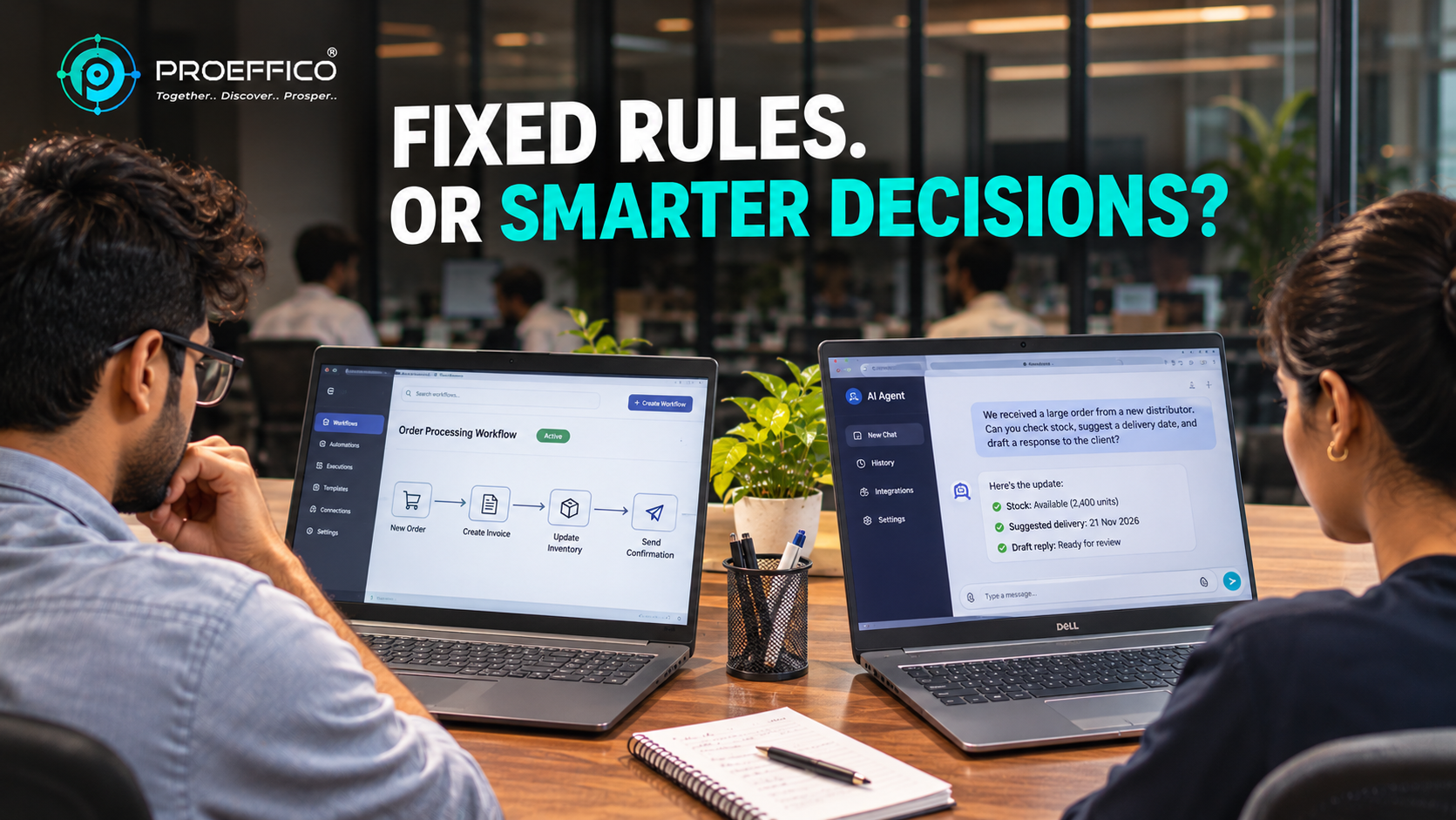
If your process is predictable, you probably don't need an AI agent. If it isn't, a fixed workflow will keep breaking. The real question in workflow automation vs AI agents is not which is newer, but which matches the shape of the work. Plenty of businesses are being sold agents for jobs a simple rule-based workflow would do better, cheaper and more reliably. Others are stuck maintaining a tangle of rules for work that needs judgement. Here is how to tell the two apart. ## What workflow automation is Workflow automation runs a fixed sequence of steps defined in advance. When X happens, do Y, then Z. A new order arrives, it is copied to the billing system, a confirmation goes to the customer, and a task is created for the warehouse. The logic is explicit. Someone wrote the rules, and the system follows them exactly, every time. That is its main strength: it is predictable, easy to test, easy to audit, and inexpensive to run. Typical examples: - Routing a web enquiry to the right salesperson and setting a follow-up reminder - Syncing orders between a CRM, billing and inventory - Sending payment reminders on a schedule - Generating a daily report from several systems Where it struggles is variety. If inputs arrive in unpredictable formats, or the right action depends on reading and interpreting messy information, the rules multiply until nobody can maintain them. ## What an AI agent is An AI agent uses a language model to decide what to do next, rather than following a path someone drew in advance. It is given a goal, some tools (look up a record, send an email, query a database) and boundaries. It then works out the steps, uses the tools, checks the result and adapts. That flexibility is its main strength. It can read a free-text customer email, work out what is being asked, look up the order, draft a reply and flag it for approval. For a deeper explanation, see our guide to AI agents for business automation. The trade-off is that its behaviour is less predictable. It can misread a request, choose the wrong tool or give a confident but incorrect answer. It costs more to run, takes more care to test, and needs guardrails. ## The core difference in one line **Workflows follow a script. Agents work from a goal.** Everything else, including cost, risk and maintenance, follows from that. | Question | Workflow automation | AI agent | |---|---|---| | Are the steps known in advance? | Yes | Not fully | | Is the input structured? | Usually | Often messy or free text | | How predictable is the output? | Very | Varies, needs guardrails | | Cost to run | Low | Higher | | Ease of auditing | Easy | Needs logging and review | ## When workflow automation is the right choice Choose a workflow when the process is stable, rules are clear and the cost of an error is high. Invoicing, stock updates, GST-related data movement, approval chains and scheduled reporting all fit. These are jobs where you want the same result every time and a clear record of why. A large share of what Indian enterprises need today is exactly this. Our overview of business process automation for Indian enterprise covers how to find and prioritise those processes. Most businesses have several high-friction, rule-based processes that would deliver value long before an agent is needed. ## When an AI agent is the right choice Choose an agent when the input is unstructured, the path varies case by case, and a human currently spends time reading, interpreting and deciding. Examples: - Triaging inbound support emails and WhatsApp messages in different languages - Extracting and checking details from varied supplier documents - Researching and summarising information from multiple sources before a decision - Answering internal questions from a large set of policy or product documents Even here, the sensible pattern is to keep a human approving anything with real consequences, at least at the start. ## The practical answer: combine them In practice, most good solutions are a workflow with an agent inside one step. The workflow handles the predictable backbone: receive the request, log it, route it, update the system of record. The agent handles only the step that needs interpretation, such as reading a messy document and returning structured fields. This keeps the parts that must be reliable deterministic, and confines the less predictable component to a narrow job with clear checks around it. It also keeps costs down, because the agent is called only where it earns its place. ## How to decide: five questions 1. **Can you write the steps down as rules?** If yes, start with a workflow. 2. **Does the input vary a lot in format or language?** If yes, an agent may help with that step. 3. **What does a wrong output cost?** If it is high, use a workflow or keep a human approval step. 4. **How often does it run, and what is the volume?** High-volume, simple tasks favour workflows on cost. 5. **Do you need a clear audit trail?** Workflows make this simpler; agents need extra logging. ## Common mistakes - **Using an agent to avoid defining the process.** If nobody can describe the process, an agent will not fix that. It will just produce inconsistent results. - **Over-building rules for judgement work.** If your workflow has dozens of nested exceptions, that is a sign the step needs interpretation, not more rules. - **Skipping guardrails.** Agents need limits on what tools they can use, what data they can see and when a human must approve. - **Ignoring data and systems.** Both approaches depend on connected systems and decent data. Our note on [ERP integration best practices is a good starting point if yours are not yet joined up. ## Honest limitations Agents are improving quickly, but they are not a drop-in replacement for people or for well-built workflows. Quality varies by task, language and data, and the only reliable way to know is to test on your own real examples. We would rather tell you a workflow is enough than sell you an agent you don't need. ## Next step If you are unsure which of your processes need a fixed workflow, which need an agent, and which need both, a short review of two or three of them is usually enough to tell. Book a discovery call and Proeffico's team will help you sort them. ## Frequently Asked Questions ### What is the main difference between workflow automation and AI agents? Workflow automation follows predefined steps in a fixed order. An AI agent is given a goal and decides its own steps using tools. Workflows are predictable and cheap to run; agents are flexible but less predictable and need guardrails. ### Are AI agents better than workflow automation? Not in general. Agents are better for messy, variable, interpretation-heavy tasks. Workflows are better for stable, rule-based, high-volume processes where consistency and auditability matter. The right choice depends on the task. ### Can workflow automation and AI agents work together? Yes, and this is often the best design. A workflow handles the predictable backbone while an agent handles one step that needs reading or judgement, with checks and human approval where the stakes are high. ### Which is cheaper for a small or mid-sized business? Workflow automation is usually cheaper to build and run, since it avoids per-call model costs and heavy testing. Many SMEs get strong returns from workflows alone before considering agents at all. ### Is it safe to let an AI agent act on business data? It can be, with limits. Restrict the tools and data the agent can access, log every action, and keep a human approval step for anything with financial, legal or customer-facing consequences, especially at the beginning.